
ID.me: Wallet & Rewards
ID.meProductivity
4.146.00 Reviews
- Version
- 1.16.0
- Installs
- 50.00K
- Age Rating
- Everyone
Screenshots
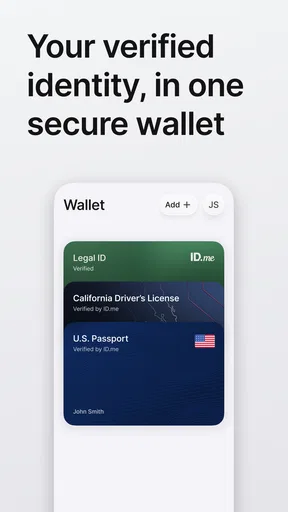
Our Review of ID.me: Wallet & Rewards
 Analysis by Appyee
I approached ID.me: Wallet & Rewards as a practical productivity tool rather than another app I would open casually every day. Its purpose is straightforward: it helps prove my identity, keep identification documents together, and look for savings connected with benefits I may already have earned. That combination makes it more specialized than a normal digital wallet, but also more useful in moments when identity verification and discounts meet.
The app is made by ID.me and is free to use. It is listed for everyone, runs on Android 8.0 and later, and the current version is 1.16.0. Those details matter because this is the sort of utility people often install when they need it quickly, perhaps before checking eligibility for a benefit or completing an online purchase. In my experience, the value comes less from constant browsing and more from having the right identity tools ready when a supported service asks for them.
How I use the wallet from the first setup to everyday savings
The baseline workflow is easy to understand. I start by treating the app as a central place for identity-related access rather than as a replacement for every document in my physical wallet. The first useful habit is to complete the identity process carefully, using the information that matches my official records. Rushing through that stage is counterproductive: a small mismatch can create more work later when the app is being used at the exact moment I need verification.
Once the account is ready, I think of the wallet in two separate ways. One side is about proving who I am, while the other is about finding rewards or savings connected with my status. Keeping those purposes mentally separate makes the app easier to use. I do not open it expecting a broad shopping marketplace. I open it when a participating service asks for verification or when I want to check whether a purchase or benefit can be connected to an eligibility-based saving.
A realistic example is planning a purchase before reaching the checkout screen. Instead of assuming that a discount will appear automatically, I would open the app first, review the available reward or savings path, and then follow the required verification steps. That extra minute can prevent the common mistake of completing a transaction before checking eligibility. The important lesson is that the app works best as a preparation tool, not as something I remember only after an offer has expired or a checkout has already been completed.
The same approach helps with services that require identity confirmation. I keep the app available so that I am not searching through old email messages or repeatedly entering the same details in a browser. This is one of its strongest practical ideas: a verified identity can be more useful when it is organized in one place than when every website handles the process differently.
Still, I would not rely on it as the only place where important identification information exists. A digital wallet is convenient, but I keep the original documents and any necessary backup access available. If my phone is unavailable, the battery is empty, or a particular service does not support the verification route I expected, a second plan matters. That is not a flaw unique to this app; it is simply a sensible rule for any identity-focused mobile tool.
Settings and preparation that make the experience smoother
Experienced use begins before the first urgent request. I check that the account details are current and that the app is signed in on the device I normally carry. I also review the app after major changes to my personal information, rather than assuming that an old verification record will automatically suit every future situation. This habit is especially useful when the app is being used for benefits or savings where the details must match the eligibility information held elsewhere.
Notifications are worth handling deliberately. If the app offers alerts related to rewards or account activity, I would keep useful reminders enabled while avoiding a noisy stream that makes every message feel unimportant. The best arrangement is the one that helps me notice an opportunity or a required action without turning the app into a constant distraction. I also make sure I can recognize official prompts from ID.me before entering sensitive information after following a notification.
Security deserves more attention here than it would in a simple coupon app. I use a screen lock on the phone, avoid leaving the account open on a shared device, and take a moment to check where a verification request is sending me before continuing. I would never treat an unexpected message asking for identity details as trustworthy simply because it uses familiar branding. The app can help organize identity tasks, but good account habits still belong to the user.
Another useful preparation step is checking the phone itself. Since the app requires Android 8.0 or later, an older device may not be suitable. I also prefer to keep enough free storage and a reliable connection before beginning a verification process. The app is not the place where I want to discover that the operating system is unsupported or that a connection problem has interrupted an important step.
I pay attention to the difference between storing access and storing every possible document. The wallet is most valuable when I know what I expect to use it for. If I add information without a clear purpose, the account can become harder to understand when I am under time pressure. My approach is to keep the wallet organized around active identity and reward needs, then review it occasionally instead of treating it as a digital attic.
Faster patterns for repeat use
The quickest workflow I found is to decide what I need before opening the app. If the goal is identity verification, I go directly toward that task. If the goal is savings, I look for the relevant reward path first. This sounds simple, but separating those intentions avoids wandering through menus and reduces the chance of starting the wrong process.
I also use a repeatable pre-check before shopping or applying for a benefit: confirm the account is accessible, review the available saving, and read the conditions before assuming the offer applies. The final step is easy to skip, yet it is where many disappointments begin. A reward can depend on the participating service, the type of transaction, or a particular verification route. I would rather spend a short time reading the instructions than discover at checkout that I misunderstood the benefit.
For regular users, the app becomes more efficient when it is part of a routine rather than an isolated download. I might check it before a planned purchase, before starting an application that requires identity proof, or after receiving a message about a benefit. I do not check it randomly throughout the day. That keeps the tool focused and prevents the savings section from becoming another stream of impulse shopping.
One non-obvious advantage is the reduction in repeated form filling. When an outside service accepts ID.me verification, I can use the established identity flow instead of beginning from scratch on that service. The time saving is not guaranteed in every situation, because the other service still controls its own process, but the shared verification approach can make supported tasks feel more consistent.
Another useful pattern is to verify before making plans around a discount. I would not build a budget on the assumption that a reward will apply until I have checked the actual route in the app and at the participating service. This protects against a common trade-off: the convenience of a digital benefit is valuable, but the benefit may not be universal. The app helps me investigate eligibility; it does not remove the need to read the final conditions.
I also avoid installing it only for one hurried transaction and then forgetting the account. If I have completed the identity process, I make a note of where it may be useful again and keep the account information secure. That turns the initial effort into a reusable workflow instead of a one-time interruption.
Where the app is strong, and where its limits show
The clearest strength is focus. ID.me: Wallet & Rewards is not trying to be a general finance dashboard, a full shopping browser, and a broad document-management suite at the same time. Its identity-and-savings combination gives it a clear role for people who use services connected with ID.me. I find that more useful than a crowded app that offers many unrelated tools but makes the important task difficult to find.
Its main limitation is also that focus. If I want to store ordinary payment cards, track spending, manage receipts, or organize a complete household document archive, I would choose a different app. A standard mobile wallet is better for contactless payments, while a password manager or secure document tool may be better for unrelated records. This app makes more sense when identity verification and eligibility-based rewards are the reason for installing it.
There is also a dependency on participation. The app can prepare my identity and show relevant saving opportunities, but the final experience depends on the outside service accepting the verification method and honoring the applicable reward. That means I should not interpret the presence of a reward as an unconditional discount. Checking the route and requirements is part of using the app properly.
Privacy is another reason to be selective. Identity information deserves a higher level of care than a normal shopping preference. I would use the app on my personal device, keep the operating system updated, and avoid sharing access with family members simply for convenience. Someone looking for a casual coupon browser may find this level of caution excessive, but it is appropriate for an identity-centered product.
The app’s audience appears to be growing, with over fifty thousand installs and a 4.1 average from around one hundred ratings. I read that as a useful sign of real interest, but not as a reason to ignore my own needs. A rating cannot tell me whether the services I use accept ID.me or whether the available rewards match my circumstances. The practical test is compatibility with my everyday tasks.
The age classification is Everyone, which makes the app broadly accessible in terms of content. That should not be confused with universal suitability: the usefulness of identity verification and rewards still depends on the person’s situation. Someone who rarely encounters supported verification requests may gain little from keeping it installed.
Questions I would answer before installing
If I were asked whether the app is worth installing just for discounts, my answer would be “only if the savings connect to services I actually use.” The rewards angle is helpful, but it is not a substitute for comparing the final price elsewhere or reading the conditions. I would install it when the identity function is also relevant, because that gives the app a stronger long-term purpose.
If the concern is whether it replaces a normal phone wallet, I would say no. I see it as a specialized identity wallet with a rewards layer, not as my main payment wallet. I would keep a conventional payment solution for cards and everyday transactions, then use ID.me when identity proof or an eligibility-related saving is the specific requirement.
If someone asks whether setup can be skipped, I would not plan on that. The central value depends on establishing a usable identity profile, so the initial process deserves patience. Preparing accurate information, using a secure device, and avoiding interruptions makes more sense than trying to rush through it for a quick offer.
If access to the phone is lost, I would expect the situation to require account recovery or another verification route rather than assuming the wallet alone will solve it. That is why I keep backup access habits and original documents available. The app can simplify identity tasks, but it should not become the only key to every important account.
Finally, I would recommend skipping it if the goal is broad budgeting, payment management, or general document storage. Those jobs call for different tools. ID.me: Wallet & Rewards is at its best when I need a dependable bridge between proving my identity and checking savings tied to that identity.
My verdict after building a repeatable habit
After using it with that mindset, I see ID.me: Wallet & Rewards as a focused productivity app rather than an essential companion for everyone. It organizes a task that is often scattered across websites: confirming identity and looking for benefits connected with that confirmation. The free price makes trying it low-risk, while the current release, version 1.16.0, gives users a clear starting point on compatible Android devices.
My recommendation is strongest for people who regularly encounter supported identity checks or who want to investigate savings they may already qualify for. The best results come from a few disciplined habits: keep account details current, check eligibility before shopping, read the conditions, protect the phone, and maintain a backup plan for important documents. Those steps make the app feel faster and safer without pretending it can control every outside service.
I would be more cautious for anyone expecting a universal wallet or automatic discounts everywhere. The app cannot make an unsupported service compatible, and it does not replace careful comparison shopping. Its value is specific, but within that specific role it can remove repeated effort and make identity-related tasks easier to revisit.
My final view is that this is a worthwhile specialist tool when identity verification is already part of your routine. I would recommend it to a friend who wants one place to manage that process and explore connected rewards, provided they understand the limits and treat the account as sensitive. For everyone else, a standard payment wallet or a general document app may be the more natural choice.
Verdict
Strengths of ID.me: Wallet & Rewards
- Conveniently stores verified IDs and credentials in one place.
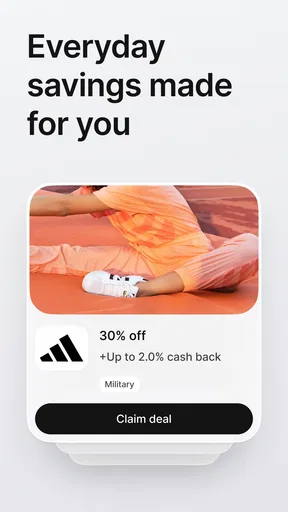
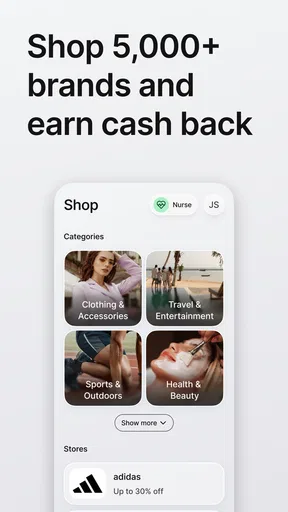
- Rewards marketplace can offer useful discounts and cash-back opportunities.
- Biometric login adds an extra layer of account protection.
- Supports identity verification for various government and private services.
- Digital wallet reduces the need to repeatedly submit personal documents.
Limitations of ID.me: Wallet & Rewards
- Availability of features depends on supported organizations and services.
- Identity verification may require sensitive documents and personal information.
- Some users report difficulty completing verification checks.
- Rewards and offers can vary by location and may have restrictions.
- Requires a stable internet connection for most wallet functions.
Other Releases by ID.me
View All
ID.me Authenticator
Productivity3.5
Similar Picks in This Category
View All
Google Calendar
Google LLC4.6

Google Drive
Google LLC4.3

Google Assistant
Google LLC3.9

Microsoft OneDrive
Microsoft Corporation4.6

Samsung Calendar
Samsung Electronics Co., Ltd.4.1

Microsoft OneNote: Save Notes
Microsoft Corporation4.6
Frequently Asked Questions
What is ID.me: Wallet & Rewards used for?
ID.me: Wallet & Rewards is a digital identity and benefits app that lets you securely manage verified credentials, access participating services, and discover available discounts or rewards. Depending on your eligibility and the organizations supported in your region, the app may help you prove your identity, store digital documents, and use member benefits without repeatedly completing the same verification process.
Is ID.me: Wallet & Rewards safe to use?
The app is designed around identity verification and account security, so it may request personal information such as your name, date of birth, address, or identification documents. Before using it, review the privacy policy and permissions carefully. Enable strong account protection, avoid sharing verification codes, and only complete sign-in through the official app or legitimate ID.me website to reduce the risk of phishing.
What information or documents are required for verification?
Verification requirements vary according to the service you are trying to access and your personal circumstances. ID.me may request details from a government-issued identity document, a selfie or video verification, a phone number, an email address, or additional information. Some users may be offered alternative verification methods, but approval is not guaranteed and unclear images can delay the process.
Can I use ID.me: Wallet & Rewards to access discounts and benefits?
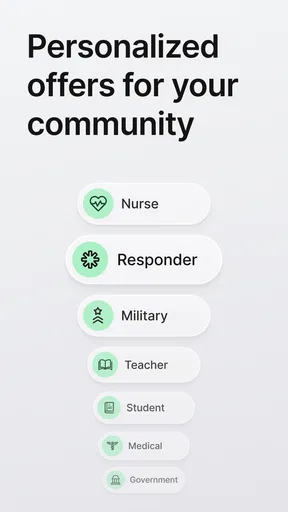
The app can provide access to participating discounts, rewards, and special offers, but availability depends on your verified group, location, and the companies currently supported by ID.me. Common eligibility categories may include military members, veterans, first responders, teachers, students, government employees, or other approved groups. Always check the offer terms, expiration date, and restrictions before making a purchase.
What should I do if verification fails or I cannot access my account?
If verification fails, first check that your submitted information matches your official documents and that photos are clear, well lit, and fully visible. Confirm that your email address and phone number are accessible, then follow the recovery or support instructions provided in the app. Avoid creating multiple accounts, since duplicate profiles can complicate verification. For unresolved issues, contact official ID.me support rather than relying on unofficial assistance.
